Invoice
Line items, discount and tax, printed or saved as PDF.

Product
Autovena is not a set of tools you connect together. It is one system where a booking becomes a job, a job consumes parts, parts get reordered, the job becomes an invoice, and the invoice becomes a balance you can chase.
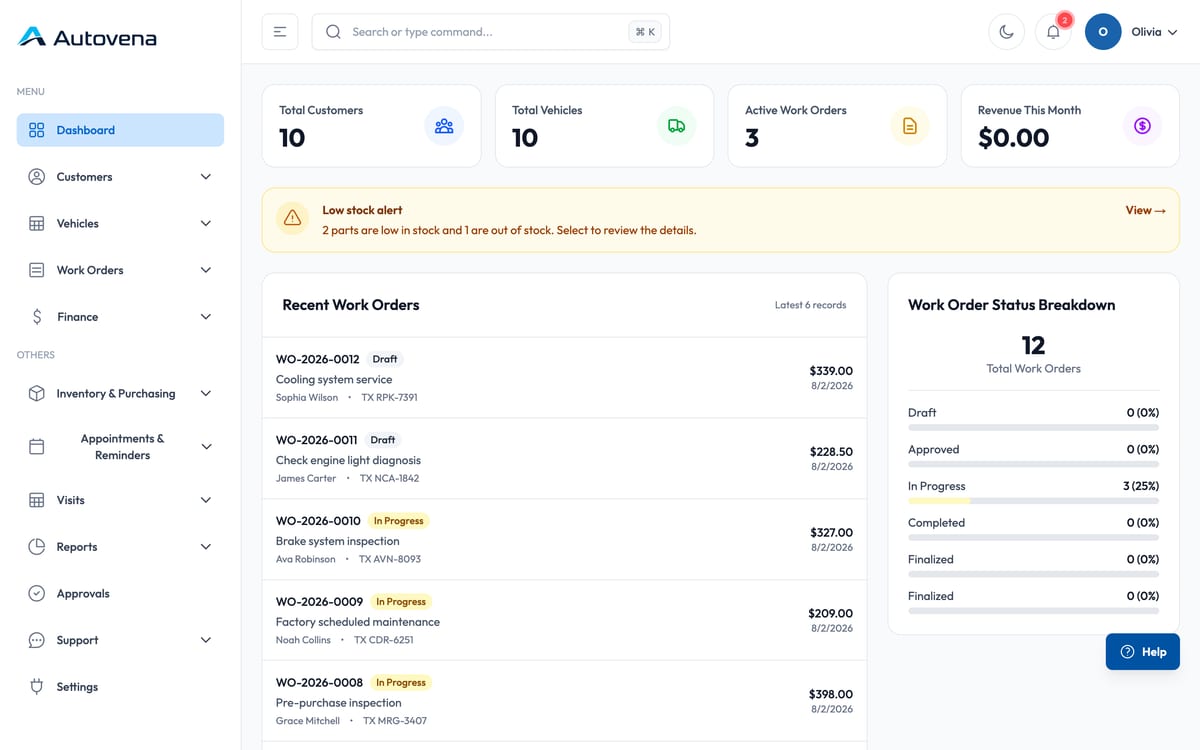
Most of a working day passes through five screens. They are built to hand off to each other rather than to be visited separately.
Appointments and service reminders for the week ahead.
Visit record: customer, vehicle, mileage, complaint.
Technician, labour lines, parts from stock.
Tax, discounts, print or send.
Full or partial, and the balance updates.
What the week actually earned.
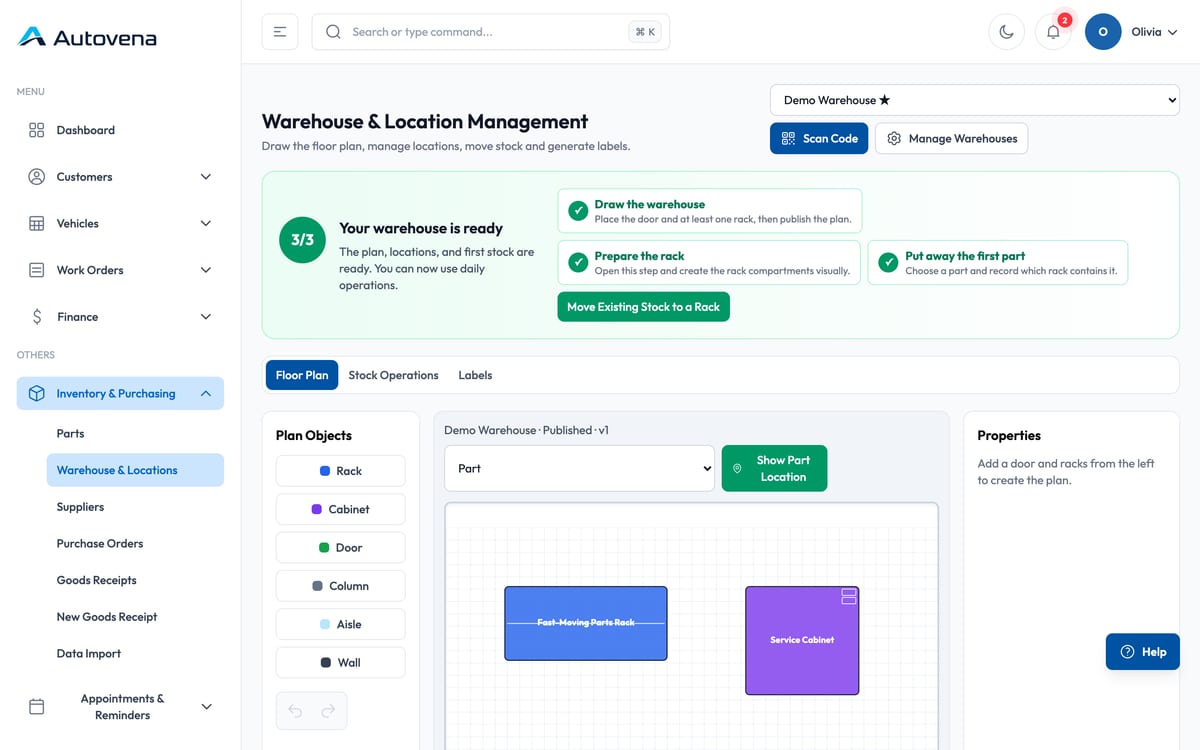
Inventory is not a separate ledger you reconcile at the end of the month. A part added to a job leaves stock immediately, and if the job is cancelled it goes back to the exact shelf allocation it came from.
Invoices, payments and customer balances are the same story told at three levels of detail.
Line items, discount and tax, printed or saved as PDF.
Cash, card or transfer. Partial payments allocate against open items.
What is still open, how old it is, and who promised what.
Roles decide which screens a person sees. Sensitive actions — payments, credit decisions, exports — are written to an audit trail with the user and the time.
Autovena works in any modern browser, so a phone or tablet is enough on its own. The iPhone and Android apps add what a phone is good at: reading a VIN or a barcode with the camera, and signing in with a fingerprint or your face instead of typing a password.
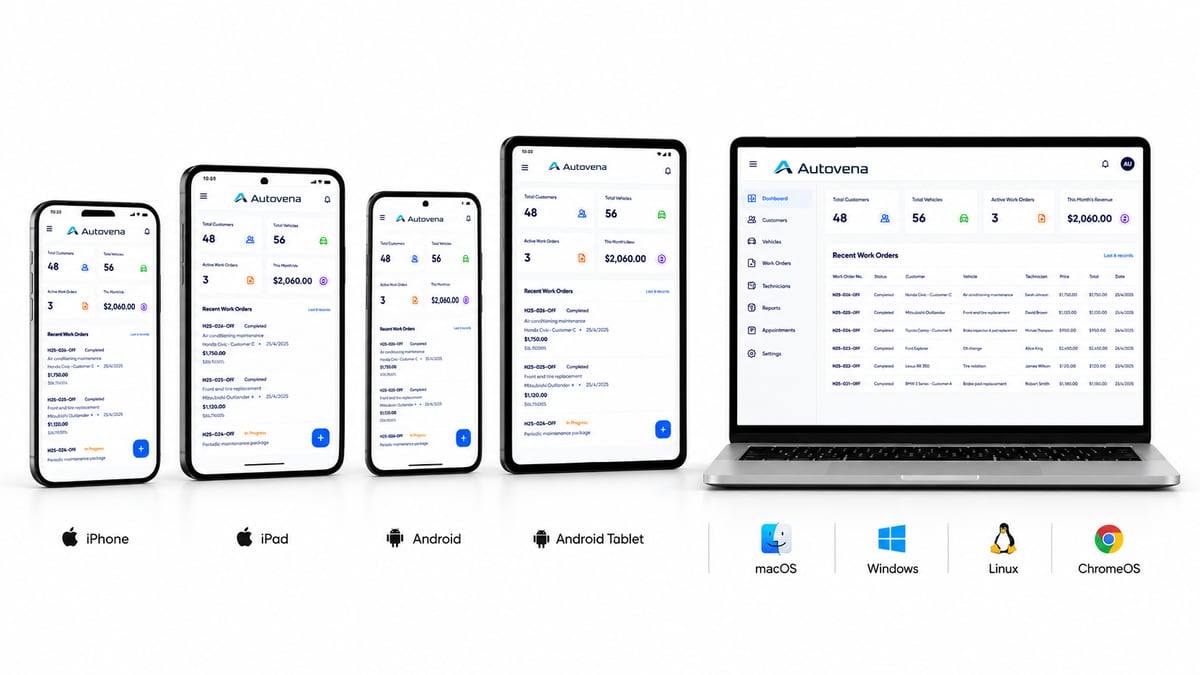
Open Autovena in the browser on any phone or tablet and you have the whole system — today, with no download and nothing to keep updated. One account works across every device at no extra cost. The iPhone and Android apps add camera scanning and biometric sign-in.

 Scan to install on iPhone or iPad
No. The browser gives you the whole system. The app adds camera scanning and biometric sign-in.
No. Autovena needs a connection, because the point of it is that everyone is looking at the same live data. We would rather say that plainly than promise an offline mode that does not exist.
As many as you like. Devices are unlimited on the one plan.
Everything on this page is in the product today. Where something is limited, the feature page says so.
Open an account in a minute, add your first vehicle, and see how it fits your shop. No card, no call, no commitment.
Mobile app
Scan registrations, VINs and barcodes with the camera, and securely access your shop from anywhere.
Scan with your phone camera or open the App Store.
 Scan with camera