Reporting
Numbers you can act on
Three reports that answer the questions a shop owner actually asks: what did we earn, what is sitting on the shelf, and who has not paid.
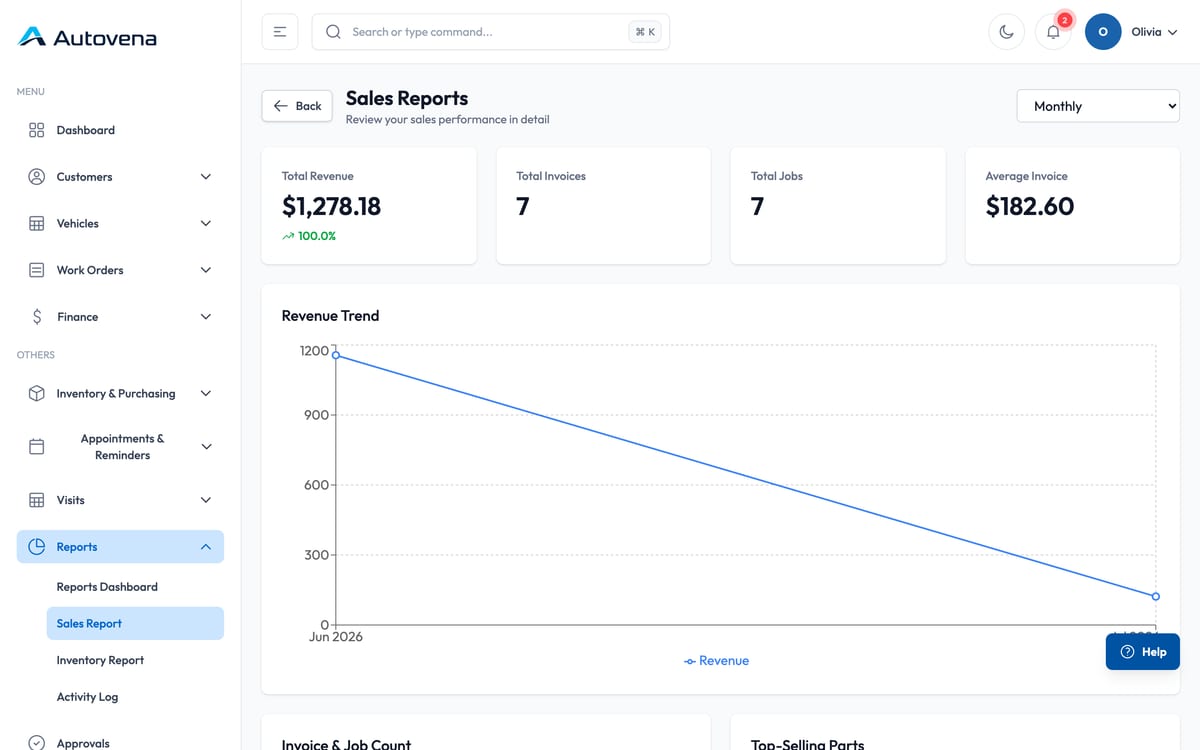
Sales
Revenue, invoice count, job count and average invoice over the period you pick, with a trend line and the parts that sell most.
Inventory
Stock value, what is below its minimum level, and what has not moved. Useful before you place the next order.
Customer balances
Ageing across every open account, which is the same data the collections workspace uses — just laid out for a monthly review rather than a daily one.
Getting the numbers out
Reports and statements export to Excel; documents print to PDF. Exports are permission-controlled and recorded in the audit trail.
Start with your next job.
Open an account in a minute, add your first vehicle, and see how it fits your shop. No card, no call, no commitment.