Inventory and warehouse
Know where every part actually is
Most shop software tells you how many you have. Autovena tells you which shelf it is on — and draws you the route from the door.
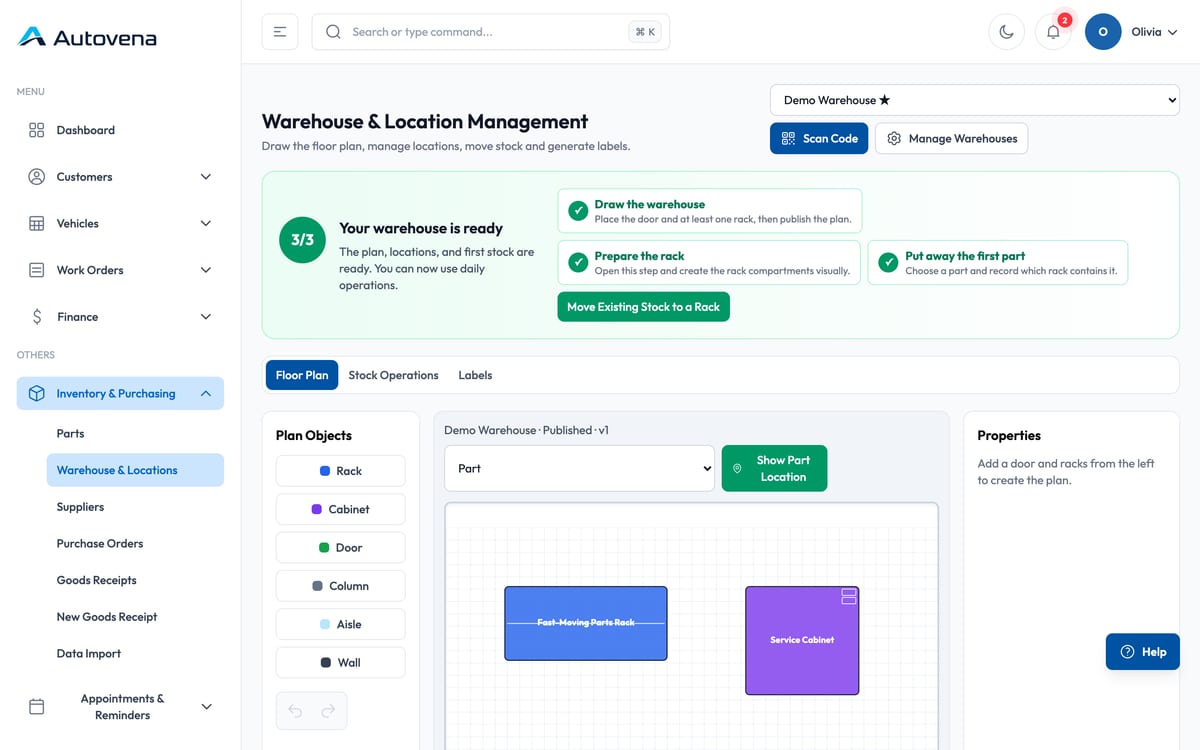
Draw your store room once
Drag doors, aisles, racks, cabinets, walls and columns onto a grid, resize them to match the real room, and publish the plan. Then open a rack and split it into bins and drawers.
- Drag, resize and rotate plan objects
- Save a draft, publish when the plan is right
- Bins and drawers inside every rack and cabinet
- Stock locations map themselves to the plan — no separate setup screen
Then stop looking for things
Pick a part and press Show location. The system draws an arrowed route from the main door to the exact bin and describes the same route in words for whoever is walking it.
Barcodes and labels
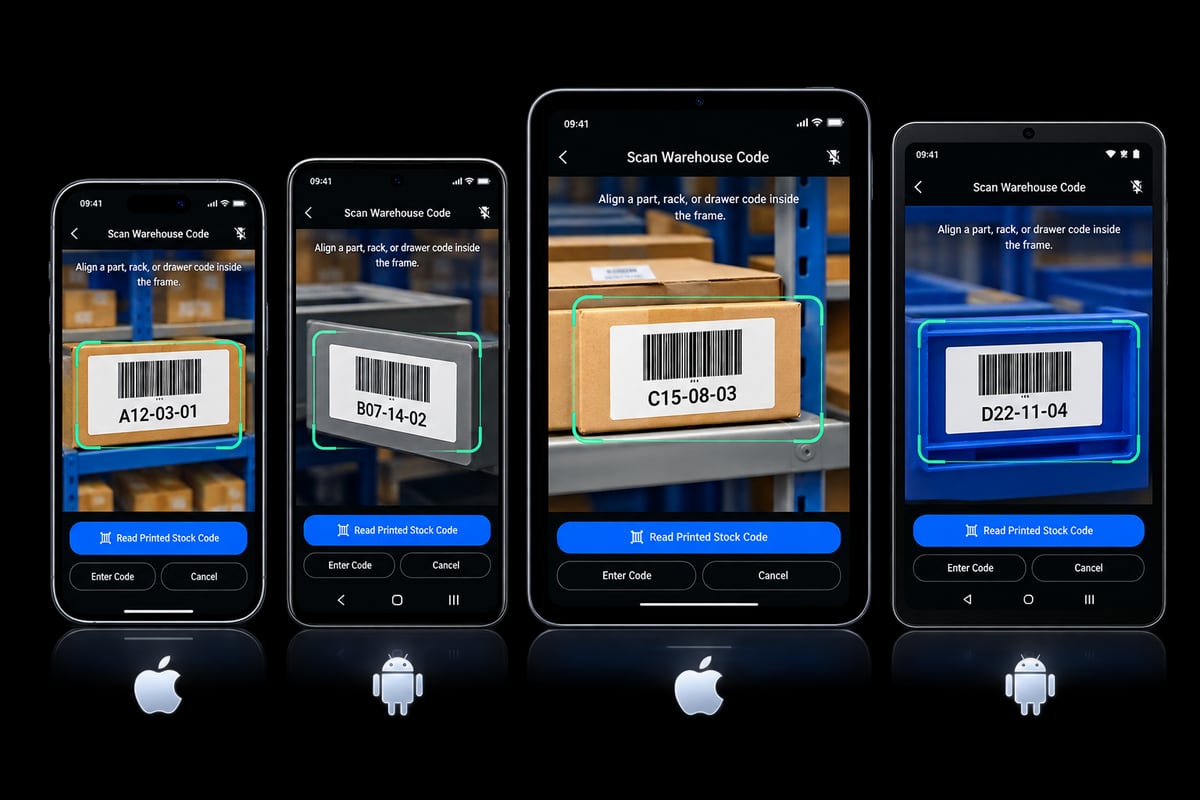
Scan a part or shelf code for stock moves, counts and job lines. When you need labels, print them yourself.
- Part labels and shelf labels
- A4 label sheets, including sheets that are already part-used — pick the first empty cell
- Zebra and compatible thermal label printers
- Manual entry when there is no label to scan
Moves that cannot go wrong quietly
Moving stock to a bin never creates stock: the screen shows the total, what is already in that bin and the most you can move, and refuses anything larger. New stock enters through goods receipt, which is a different flow on purpose.
Frequently asked questions
Do I have to draw a plan to use inventory?
No. Parts, stock levels and low-stock alerts work without any warehouse plan. The plan is there when you want to find things quickly.
What if a part has no barcode?
Search by name or stock code, or type the code from the label. Scanning is a shortcut, not a requirement.
Can I have more than one warehouse?
Yes. Each warehouse has its own plan and its own stock.
Start with your next job.
Open an account in a minute, add your first vehicle, and see how it fits your shop. No card, no call, no commitment.